Custom Font
SealKit supports both Google Fonts and custom local fonts.
Using a Google Font
tsx
import { SealCanvas } from '@luohuax/seal-kit'

function App() {
  return (
    <SealCanvas
      preset="mitomein"
      text="山田太郎"
      fontFamily="Shippori Mincho"
    />
  )
}
Registering and Loading a Local Font
tsx
import { useEffect, useState } from 'react'
import { SealCanvas, registerFont, loadFont } from '@luohuax/seal-kit'

function App() {
  const [ready, setReady] = useState(false)

  useEffect(() => {
    registerFont({
      family: '装甲明朝',
      src: '/fonts/soukoumin.woff2',
      format: 'woff2'
    })

    loadFont('装甲明朝').then(() => setReady(true))
  }, [])

  if (!ready) return <div>Loading font...</div>

  return (
    <SealCanvas
      preset="mitomein"
      text="山田太郎"
      fontFamily="装甲明朝"
    />
  )
}
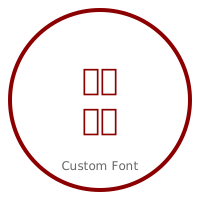
Result
The seal will be rendered using your registered font instead of the default Noto Serif JP.
Notes
- Always wait for the font to load before exporting high-resolution images.
- If using a Google Font, make sure it is listed in
GOOGLE_FONT_MAPor register it explicitly.